Talking to the All-New Mazda CX-5 Just Got Easier With Google Gemini
October 30 2026,
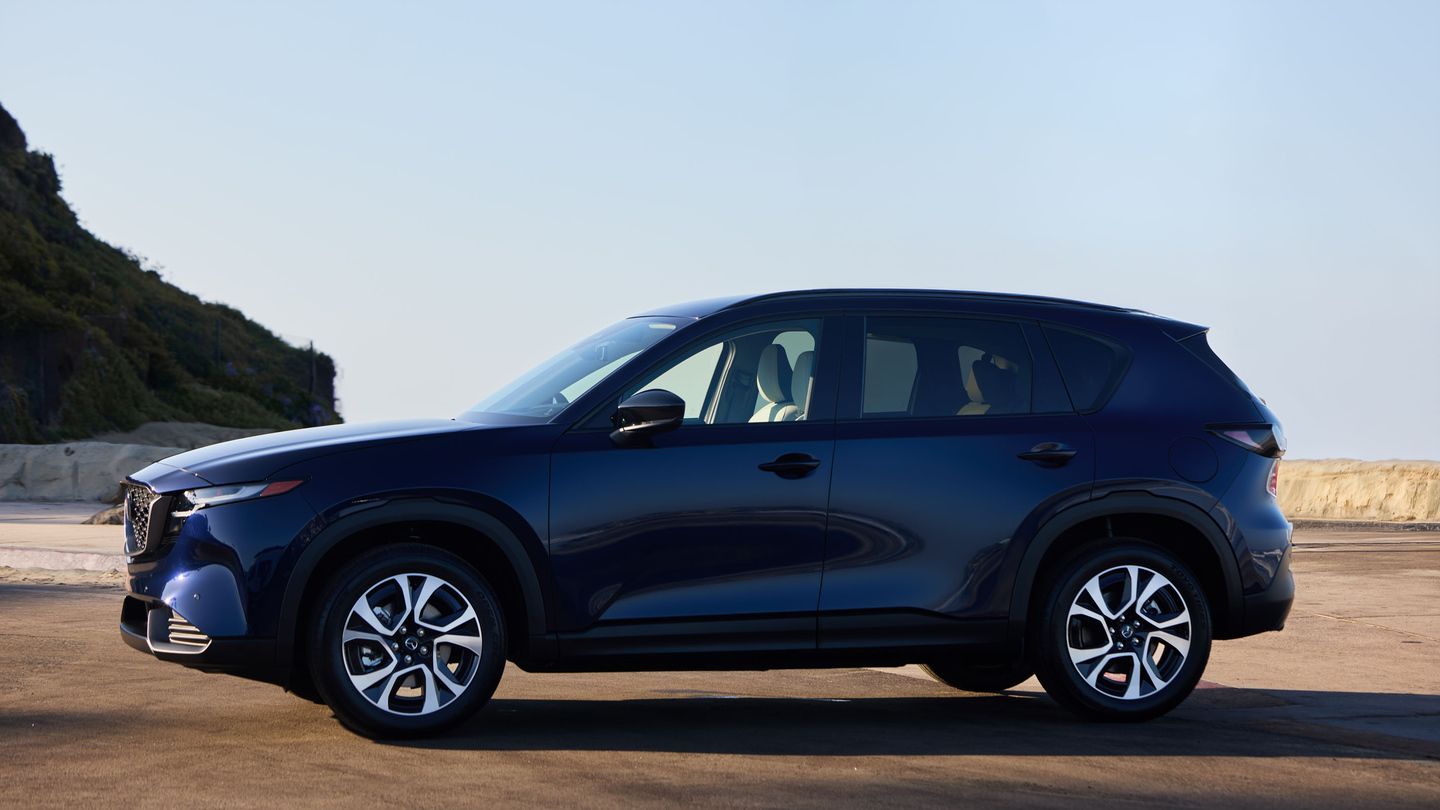
Most of us talk to our phones every day without thinking twice. Now the all-new Mazda CX-5 can hold up its end of the conversation the same way. Mazda Canada announced on October 26, 2026, that Google Gemini is available to eligible users in the all-new CX-5 equipped with Google built-in.
Gemini makes voice control feel closer to a normal chat. You can use your own words, ask follow-up questions and handle several tasks in a row. Here is how that makes daily driving simpler, with a few real-life examples along the way.
Speak the Way You Normally Talk

Mazda says CX-5 owners can talk to their vehicle in everyday language, without relying on specific voice commands. That one change takes a lot of the guesswork out of voice control.
You do not have to remember which word goes first or how a request is supposed to be phrased. You say what you need, and Gemini works out what you mean.
Ask a Follow-Up Without Starting Over
Real conversations have follow-ups. Gemini understands context and follow-up requests, which lets it handle multi-step conversations.
Say you ask for nearby restaurants. You can then ask about one of the results, and then ask for directions, all without repeating your first question. Each step builds on the one before.
Fewer Menus to Dig Through
Mazda points out that Gemini reduces the need to navigate menus and settings. That matters because every glance away from the road counts.
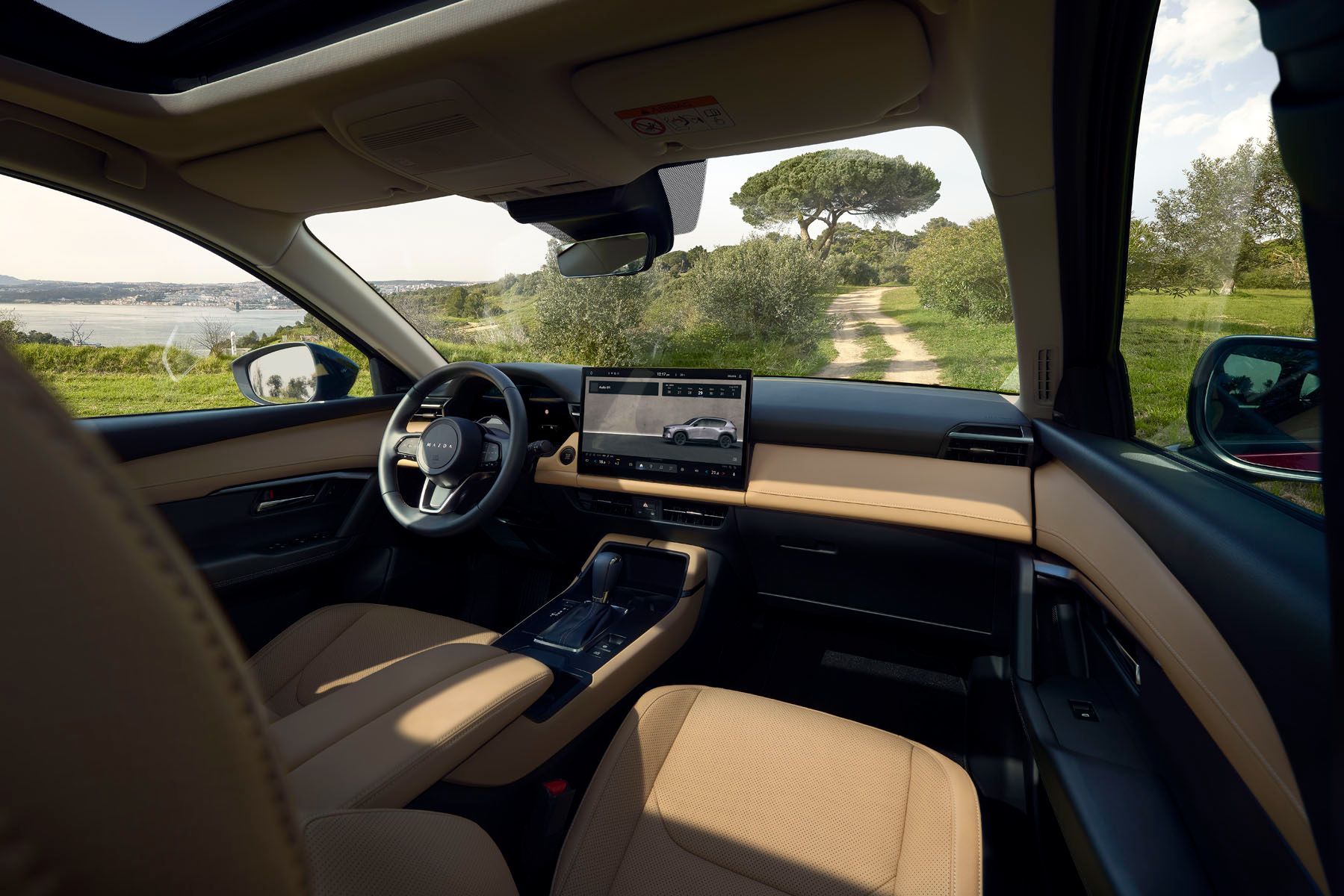
Gemini can adjust supported vehicle functions, including climate settings, and pull up vehicle information through everyday speech. For quick hands-on changes, climate and volume controls stay docked at the bottom of the CX-5’s touchscreen, so you are never more than a tap away either.
Built Around How People Like to Use Tech
Mazda Canada asked Canadians how they want technology to behave. In a June 2026 national survey created with University of Waterloo Associate Professor Dr. Cosmin Munteanu, 46 per cent said they prefer built-in voice assistants for in-car technology. Another 67 per cent said they prefer technology that works quietly in the background. Gemini in the CX-5 speaks to both answers: it is built in, and it lets you get things done by simply asking.
A Day of Driving, Made Simpler
Here is how Gemini can fit into an ordinary day in the CX-5:
- Morning: You looked up a store on your phone over breakfast. In the CX-5, Gemini lets you continue that search through compatible Google services and get directions.
- Midday: Google Maps gives you real-time traffic updates and route guidance, plus personalized recommendations along the way.
- Afternoon: Running behind? Ask Gemini to send a message or share your arrival time, hands-free.
- Evening: Ask for a relaxing playlist through apps such as Spotify or YouTube Music. Gemini can suggest playlists based on your mood or activity.
Easy to Read, Easy to Reach
Talking is easier when the information you need is easy to see. The CX-5 GX, GS and GT come with a 12.9-inch centre touchscreen running Google built-in, and the GT Premium Package moves up to a 15.6-inch screen. A 10.25-inch digital instrument cluster shows turn-by-turn directions and incoming call details right in front of you.
The steering wheel keeps things simple too. Volume and entertainment source sit on the left side. Driving functions, like Mi-Drive mode selection, sit on the right.
Setting It Up
Mazda notes that some connected apps require setup and that compatibility and availability vary. Users must be 18 or older. Once your apps are linked, you are ready to start talking.
Mazda also says Gemini is designed to keep improving through future software updates, expanded functionality and additional language support.
What Makes Talking Easier

|
Feature |
How It Helps |
|
Everyday language |
No fixed commands to memorize |
|
Follow-up requests |
Keep the conversation going without repeating yourself |
|
Phone-to-car continuity |
Pick up searches started on your phone |
|
Voice climate control |
Adjust supported settings without menus |
|
Hands-free messaging |
Send messages and share arrival times by voice |
|
Mood-based music |
Playlist suggestions for what you are doing |
Start a Conversation at Truro Mazda
The best way to see how easy it is? Say hello. Drop in at Truro Mazda in Truro, climb into an all-new CX-5 and try a few requests of your own with our team nearby.